

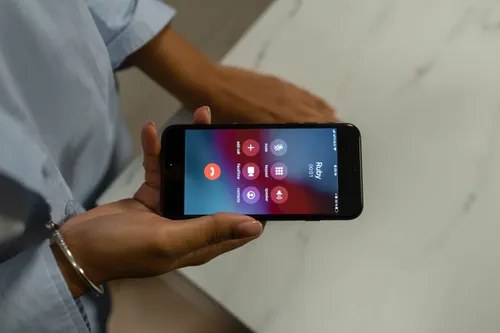
Learning how to block a number on Android takes about thirty seconds, and it is the fastest way to silence spam calls, persistent telemarketers, and that one contact you never want to hear from again. Every Android phone has blocking built in, so you do not need to download anything or pay for an app. The exact steps vary slightly between Samsung, Google Pixel, and other brands, but the principle is the same everywhere. This guide covers the three quickest methods, what the blocked caller actually hears, and how to undo it if you change your mind.
Read More: Blocked on iPhone? 7 Signs Someone Blocked Your Number
The Built-in Blocker Beats Any App
Before reaching for a third-party call-blocking app, use what is already on your phone. Android’s built-in blocking works at the system level, which means blocked calls never ring, never vibrate, and never even reach your voicemail in most cases. Third-party apps, by contrast, often need invasive permissions and show you ads. The built-in option is faster, private, and free forever.
One thing to know upfront: blocking is device-specific. When you block a number on your Android phone, it stays blocked on that phone only. If you switch to a new device, you will need to block the number again, unless your carrier offers network-level blocking that follows your number. Keep that in mind before you factory reset or upgrade.
Block from the Phone app (fastest method)
This is the method you will use most often, because it starts from your recent calls list. Open the Phone app and tap the Recents tab. Find the number you want to block, then tap it to open the details. On most phones you will see a three-dot menu or a Block option right there. Tap Block, confirm, and you are done. The whole thing takes under thirty seconds.
On Samsung phones, the flow is nearly identical: Phone app, Recents, tap the number, then tap the information icon and choose Block. On Google Pixel phones using Google’s Phone app, tap the number in Recents, then tap Block or report spam. Google gives you the extra option to report the number as spam at the same time, which helps its spam filter protect other users too. Say yes to that when the caller was clearly a robocall. If the call came from a private number with no digits shown, you cannot block that entry directly, but you can silence all unknown callers from the Phone app’s spam and call-screen settings instead.
Block from Messages
Spam texts deserve the same treatment. Open the Messages app and find the conversation with the number you want to block. Tap the three-dot menu in the top corner of the conversation, then choose Details or Block. Confirm, and the number is blocked for both calls and texts in one move.
Google Messages also offers a Report spam option alongside blocking. Use it for obvious junk: fake delivery notifications, prize scams, and anything asking you to click a strange link. Reporting feeds Google’s spam detection, so the same number is more likely to be filtered automatically for everyone else. If you want a refresher on spotting these messages before they cost you money, our guide to scam text warning signs covers the nine red flags.
Block from Contacts
To block someone already saved in your contacts, open the Contacts app and tap their name. Tap the three-dot menu or the Edit area, depending on your phone, and look for the Block option. On Samsung, it sits under the contact’s details as Block contact. Confirm once, and every number saved under that contact is blocked together.
This method is handy for blocking someone you know rather than a random spam number. One caution: double-check you have the right contact before confirming. Blocking the wrong person leads to awkward missed calls and a sheepish unblocking session later.
What the blocked caller hears
People always ask this, so here is the honest answer: it depends on your carrier, but the blocked caller will not hear a message saying they are blocked. On most US carriers, a blocked caller hears a single ring followed by voicemail, or the call simply fails to connect. Some carriers route blocked calls straight to a generic “the number you have dialled is not available” message.
The key point is that Android does not notify the caller in any way. They cannot tell the difference between being blocked and you simply not answering, at least not from the call behaviour alone. If they text you, the message appears to send normally from their side but never arrives on your phone. The exact behaviour can vary slightly between Samsung, Pixel, and Motorola diallers, but the stock experience follows the pattern above.
Simple idea: after blocking a spam number, delete the call log entry and the text thread too. A clean recents list makes it obvious at a glance if the same spammer tries again from a new number.
Let your carrier help for free
Blocking on your phone stops individual numbers, but US carriers also offer free network-level spam filtering that catches junk calls before they ever reach you. AT&T ActiveArmor, Verizon Call Filter, and T-Mobile Scam Shield all have free basic tiers that flag or block suspected spam automatically. Download your carrier’s app, switch the free protection on, and set it to send suspected spam straight to voicemail.
These tools work best alongside manual blocking rather than replacing it. The carrier filter handles the high-volume robocall campaigns, while your block list handles the persistent individual numbers. If a spam wave keeps breaking through both, reporting the calls helps regulators trace the operation behind them.
Unblock a number later
Changed your mind? Unblocking is just as quick. Open the Phone app, tap the three-dot menu, and go to Settings, then Blocked numbers. You will see your full block list. Tap the X or Unblock next to any number to restore it. On Samsung, the path is Phone app, then the three dots, then Settings, then Block numbers, where you can remove entries with the minus icon.
Review this list every few months. Numbers you blocked in a fit of annoyance two years ago might belong to someone you actually need to hear from now, like a pharmacy or a delivery service that changed numbers.
Here is what call blocking actually costs:
- Built-in Android number blocking: $0
- Google Phone app spam filtering and reporting: $0
- Carrier tools like AT&T ActiveArmor, Verizon Call Filter, T-Mobile Scam Shield (basic tiers): $0
- Nomorobo subscription: about $2 per month
- RoboKiller subscription: about $5 per month
Total: $0 with the built-in tools, which handle blocking perfectly well for most people. Paid apps add entertainment features like answer bots that waste telemarketers’ time, which is fun but not essential.
Conclusion
Blocking a number on Android is genuinely a thirty-second job. Use the Phone app’s Recents tab for the fastest route, Messages for spam texts, and Contacts for people in your address book. Report spam when you block it, and remember that the caller is never told they have been blocked.
For numbers that keep coming back under new digits, layer your defences: switch on your carrier’s free spam filter and report persistent offenders to the authorities. Blocking handles the individual nuisance; reporting helps shut down the operation behind it.
