

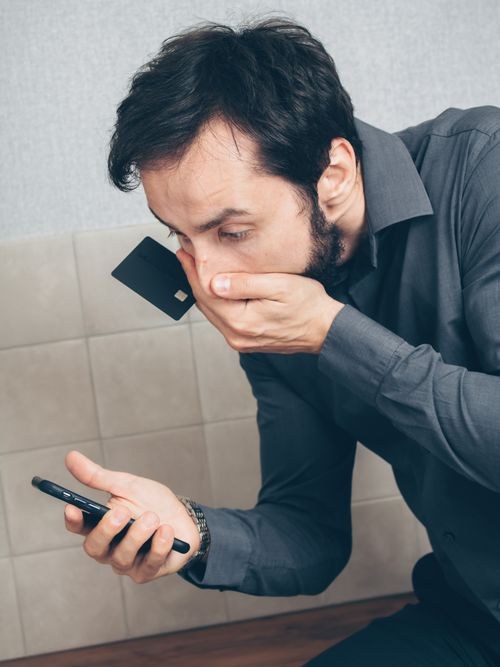
Learning how to tell if a text message is a scam has become an essential skill for anyone with a phone. Text message scams, known as smishing, are now one of the most common ways fraudsters reach their victims. According to the Federal Trade Commission, a large share of fraud cases now starts with a text message, and the average victim loses hundreds of dollars. The good news is that scam texts follow predictable patterns. Once you know the nine warning signs below, you can spot most of them in seconds, and you will know exactly what to do next.
Read More: How to Report Spam Calls in the US
Why Text Scams Work So Well
Text messages feel personal and trustworthy in a way email never did. Most people read a text within minutes of receiving it, and the short format leaves little room for the scrutiny you might give a suspicious email. Scammers know this, and they have built entire operations around it.
The tactics keep evolving. A few years ago, scam texts were easy to spot because they were full of spelling errors and strange phrasing. Today, many are written with the help of AI tools, which means they read smoothly and professionally. You can no longer rely on bad grammar as your main defense. The new generation of scam texts impersonates delivery companies, banks, toll road operators, and even government agencies with convincing detail.
Another reason these scams succeed is speed. A text arrives, creates a burst of anxiety, and demands action before you have time to think. That manufactured urgency is the engine of nearly every text scam in circulation. Understanding that pattern is the first step toward defeating it, which is part of the broader wave of artificial intelligence trends taking the tech world by storm, for better and for worse.
9 Warning Signs a Text Message Is a Scam
Run through this checklist every time a text makes you uneasy. A single sign is worth a pause. Two or more means you should treat the message as dangerous.
- 1. You were not expecting it. The message arrives out of the blue about a package, account, or payment you never initiated. Legitimate companies rarely contact you first by text about urgent problems.
- 2. It creates urgency or fear. “Your account will be locked in 24 hours.” “Pay your toll now or face a penalty.” Scammers manufacture deadlines because panic overrides caution. Real companies do not close your account over one unanswered text.
- 3. It contains a link you did not ask for. This is the core of nearly every smishing attack. The link leads to a fake login page, a malware download, or a form designed to harvest your details. Shortened links are especially suspicious because they hide the real destination.
- 4. It asks for personal or financial information. Your bank already has your account number. The IRS already has your Social Security number. No legitimate organization asks you to confirm passwords, PINs, or card numbers by text message.
- 5. It promises a prize, refund, or unexpected money. You won a gift card you never entered to win. You are owed a tax refund via text. If an offer seems too good to be true and arrived uninvited, it is bait.
- 6. The sender looks strange. Watch for long random phone numbers, messages sent from an email address, or short codes you do not recognize. Scammers can also spoof numbers so a text appears in the same thread as a real company, so even a familiar-looking sender is not proof of legitimacy.
- 7. The greeting is generic. “Dear customer” or “Hello user” instead of your name suggests a mass blast. Real service messages usually include your name or account details.
- 8. It contains a QR code. A fast-growing trick called quishing hides the malicious link inside a QR code so you never see the suspicious URL. Never scan a QR code that arrived unexpectedly.
- 9. It asks you to reply or call back. Replying, even with “STOP,” confirms your number is active and can invite more attempts. Scammers also use callback numbers to run phone scams once you engage.
The 60-Second Safety Check
When a text triggers even one warning sign, slow down and run this quick routine before you touch anything in the message.
First, do not tap the link, do not reply, and do not call any number in the text. Second, inspect the link without opening it. On most phones, you can press and hold the link to preview the real URL. Compare it carefully with the company’s genuine domain. A message claiming to be from your bank might link to something like bankofamerica-secure-alert.xyz instead of bankofamerica.com. Scam domains often include the real brand name with extra words, hyphens, or unusual endings like .xyz or .top.
Third, verify through an independent channel. If the text claims to be from your bank, open the bank’s official app or type the bank’s website address into your browser yourself. If it claims to be a delivery company, open the retailer’s app and check your orders there. Never verify using anything the suspicious text itself provides.
Simple idea: add your bank, mobile carrier, and most-used delivery services to your phone contacts with their official numbers. When a text arrives, you can compare the sender against a trusted entry in seconds instead of guessing.
What to Do If You Already Clicked
It happens to careful people too. If you tapped a link in a scam text, do not panic, but act quickly and in the right order.
Close the page immediately and do not enter any information into it. If the page already loaded, it may have tried to install something, so run a scan with your phone’s built-in security tools. On Android, open the Play Store, tap your profile, and run Play Protect. On iPhone, make sure your software is fully updated, since updates patch the vulnerabilities these attacks exploit.
Next, assess what you may have exposed. If you entered a password, change it right away, and change it everywhere else you reused it. If you entered card or bank details, call your bank immediately using the number on the back of your card, not any number from the text. If you shared your Social Security number, consider placing a fraud alert with the credit bureaus.
Finally, report the message so it helps protect others. Forward the text to 7726 (SPAM), which most US carriers use to track and block spam senders. You can also file a report at reportfraud.ftc.gov. Then delete the message and block the sender so it cannot reach you again.
How to Report and Block Scam Texts
Reporting takes seconds and genuinely reduces these campaigns over time. In the United States, forwarding the message to 7726 is the single most useful step, since it feeds the network-level filters your carrier uses to block spam senders for everyone.
On iPhone, you can report a message directly in the Messages app. Open the conversation, tap the sender’s name or number at the top, and look for the option to report junk or block the sender. You can also filter unknown senders entirely under Settings, then Messages, by turning on Filter Unknown Senders, which sorts texts from people not in your contacts into a separate list.
On Android, open the conversation in Google Messages, tap the three-dot menu, and choose Block, then check the option to report spam. Google Messages also shows automatic spam warnings on messages it already suspects, so pay attention when one appears. Your carrier’s own tools add another layer: AT&T’s ActiveArmor, Verizon’s Call Filter, and T-Mobile’s Scam Shield all include text filtering alongside their call blocking features.
Simple idea: screenshot every scam text before you delete it, keeping the sender number and timestamp visible. If you ever need to file a detailed fraud report, those screenshots are your evidence, and they take two seconds to capture.
Conclusion
Spotting a scam text comes down to recognizing patterns, not memorizing every new trick. Unexpected contact, manufactured urgency, suspicious links, and requests for personal information cover nearly every smishing attempt in circulation. The 60-second safety check of pausing, previewing the link, and verifying independently will protect you from the vast majority of them.
The uncomfortable reality is that these scams work because they exploit haste, not stupidity. Smart, careful people fall for them when they are tired, busy, or worried. Build the habit of hesitation into your routine: when a text makes your pulse quicken, that feeling is your signal to slow down, check the signs, and report it to 7726. A few seconds of caution is all it takes to stay safe.

1 Comment
Pingback: Was Your Password Leaked? Check in 2 Minutes - techaavej