

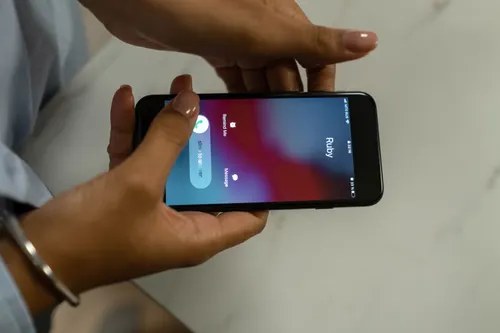
Figuring out how to tell if someone blocked your number is one of those modern anxieties nearly everyone has experienced. Your calls go unanswered, your messages sit in silence, and you are left wondering whether the person is busy, their phone is off, or you have been deliberately cut off. The truth is that no single test gives you a certain answer, because phone makers intentionally keep blocking discreet. But when you combine several clues across calls, texts, and apps, a clear picture emerges. This guide walks you through the seven most reliable signs, plus the lookalike situations that fool people every day.
Read More: How to Report Spam Calls in the US
The Call Test: What One Ring Really Means
The phone call is still the most revealing test you have. When you call someone who has not blocked you, the phone normally rings three to five times before going to voicemail. When you are blocked on an iPhone, the pattern changes dramatically: the call rings exactly once, sometimes just a half ring, and then diverts straight to voicemail.
Consistency is what makes this sign meaningful. One single-ring call proves nothing. But if every call you place, at different times across several days, follows the identical one-ring-then-voicemail pattern, the likelihood of a block is high. Interestingly, you can still leave a voicemail, but it does not land in the person’s main inbox. Instead, it is tucked away in a separate Blocked Messages folder that most people never open, so do not expect a callback.
On Android, the behaviour varies by manufacturer. Samsung phones and stock Android typically send blocked callers to an immediate busy tone or hang up after a single ring. Some other brands play a “the number you have dialled is not available” message. The underlying principle is the same: an abrupt, identical cut-off on every attempt.
iMessage and Text Clues on iPhone
Your messaging app is the second-best detective. On iPhone, the colour and status of your message bubbles carry real information. When you send an iMessage to someone who has not blocked you, a small “Delivered” note appears beneath the blue bubble. If you are blocked, that bubble stays blue but the word “Delivered” never appears, no matter how long you wait.
Watch also for unexpected colour changes. If you and the person previously chatted in blue iMessage bubbles and your messages suddenly start sending as green SMS bubbles, something has changed. A block is one possibility, though not the only one: the person may have switched off iMessage, lost their data connection, or moved to an Android phone. The key question is whether the change is sudden and permanent.
For plain SMS texts, the clue is subtler. You will not get a dramatic failure notice; the message simply goes out and no delivery confirmation ever comes back. On its own this means little, but combined with the one-ring call pattern it becomes strong evidence.
Simple idea: send your test message at a time you know the person is normally active on their phone, such as early evening. A missing “Delivered” status during hours they are clearly online is far more telling than one at 3 in the morning.
The Same Checks on Android and WhatsApp
Blocked-number behaviour is not an iPhone-only affair, and cross-checking another platform can confirm your suspicion. On WhatsApp, the signs are well documented. If your messages sit with a single grey tick for hours or days, while the contact appears online to other people, that is a classic indicator. Add to that voice or video calls that fail instantly, showing “calling” and then “ended” without ever ringing, and you have a strong case.
Another WhatsApp clue is the vanishing profile. If you could previously see the person’s profile photo, last seen status, or about line, and all of it suddenly disappears at the same time your messages stop delivering, a block is the most likely explanation. Any one of these alone could be a privacy setting change, but all of them together rarely coincide by accident.
On Android’s default messaging apps there is no “Delivered” concept as rich as iMessage, so lean harder on the call test. Place calls at varied times, note whether the cut-off is identical each time, and compare with how calls to other contacts behave from your phone. If only this one contact produces the abrupt pattern, the problem is not your handset.
Rule Out the Lookalikes First
Before concluding you are blocked, eliminate the everyday situations that mimic blocking almost perfectly. This step saves more people from embarrassment than any other, because false alarms are extremely common.
Apple’s Focus modes and Do Not Disturb are the biggest culprits. When someone has a Focus mode enabled, your calls may go to voicemail and your messages may sit undelivered for hours, exactly like a block. The difference is that Focus often announces itself: you may see “[Name] has notifications silenced” beneath the conversation. If you see that notice, you are definitely not blocked; the person is simply unavailable.
A dead battery, a phone switched off, or airplane mode produces the same one-ring voicemail pattern. So does being in an area with no signal, such as a rural dead zone or a basement car park. The distinguishing factor is time: these situations resolve within hours or a day. A block does not. That is why the golden rule is to test across at least two or three days before drawing conclusions.
Network and settings issues on your own side can also confuse matters. If iMessage is misbehaving on your phone, every contact’s messages may fail to show “Delivered”. Test with a friend or family member first. If their messages deliver normally and only the one contact shows problems, your phone is fine.
Simple idea: keep a tiny log for three days: the time of each call, how many rings you heard, and each message’s delivery status. Patterns become obvious on paper in a way they never do from memory, and the log stops you from overreacting to a single bad evening.
What to Do If You Think You Are Blocked
Suppose the signs line up: one-ring voicemail for three days, no “Delivered” on iMessages, FaceTime calls that never connect. The most decisive confirmation is the alternate-number test. Call from a different number, a work line, a family member’s phone, or a secondary SIM. If that number rings through normally while yours does not, the block is essentially confirmed.
Dialling *67 before the number masks your caller ID so it appears as “No Caller ID” or “Unknown”, which bypasses the block list. Technically it works, but think carefully before using it. Repeatedly circumventing someone’s block can cross into harassment territory, which carries real legal consequences in the United States. Reserve it for genuinely urgent, non-harassing reasons, such as a family emergency, not for demanding an explanation.
In most cases, the wisest response is to respect the block. A block is a clear statement that the person does not want real-time contact right now. If you believe it is a mistake, the only reliable way to find out is through a neutral channel: a brief, polite email, a message via a mutual friend, or a calm conversation in person. Chasing someone across numbers and apps will not undo a block; it usually cements it.
There is also a practical angle worth remembering. If the number in question belongs to a business, a service, or anyone you suspect of sending scam texts, the dynamic reverses: you may be the one who wants the blocking to happen, and both iPhone and Android make blocking an unwanted number a ten-second job.
Conclusion
No phone will ever notify you that you have been blocked, but the combination of signs is hard to misread. Calls that ring once and divert to voicemail, iMessages that never show “Delivered”, FaceTime calls that will not connect, and a second number that sails through normally together form about as certain a diagnosis as you will get. The critical discipline is ruling out the lookalikes first: Focus modes, dead batteries, and dead zones mimic blocking convincingly, and only a pattern across several days separates them.
If the evidence points to a block, take a breath before acting. Confirm it once with an alternate number, then decide whether the matter is important enough for a calm message through another channel. Most of the time, the healthiest move is to give the person space. Understanding the signs removes the agonising uncertainty, and that clarity alone is worth the detective work.

2 Comments
Pingback: How to Block a Number on Android in 30 Seconds - techaavej
Pingback: Get Your Phone Ringing Again: 9 Quick Fixes