

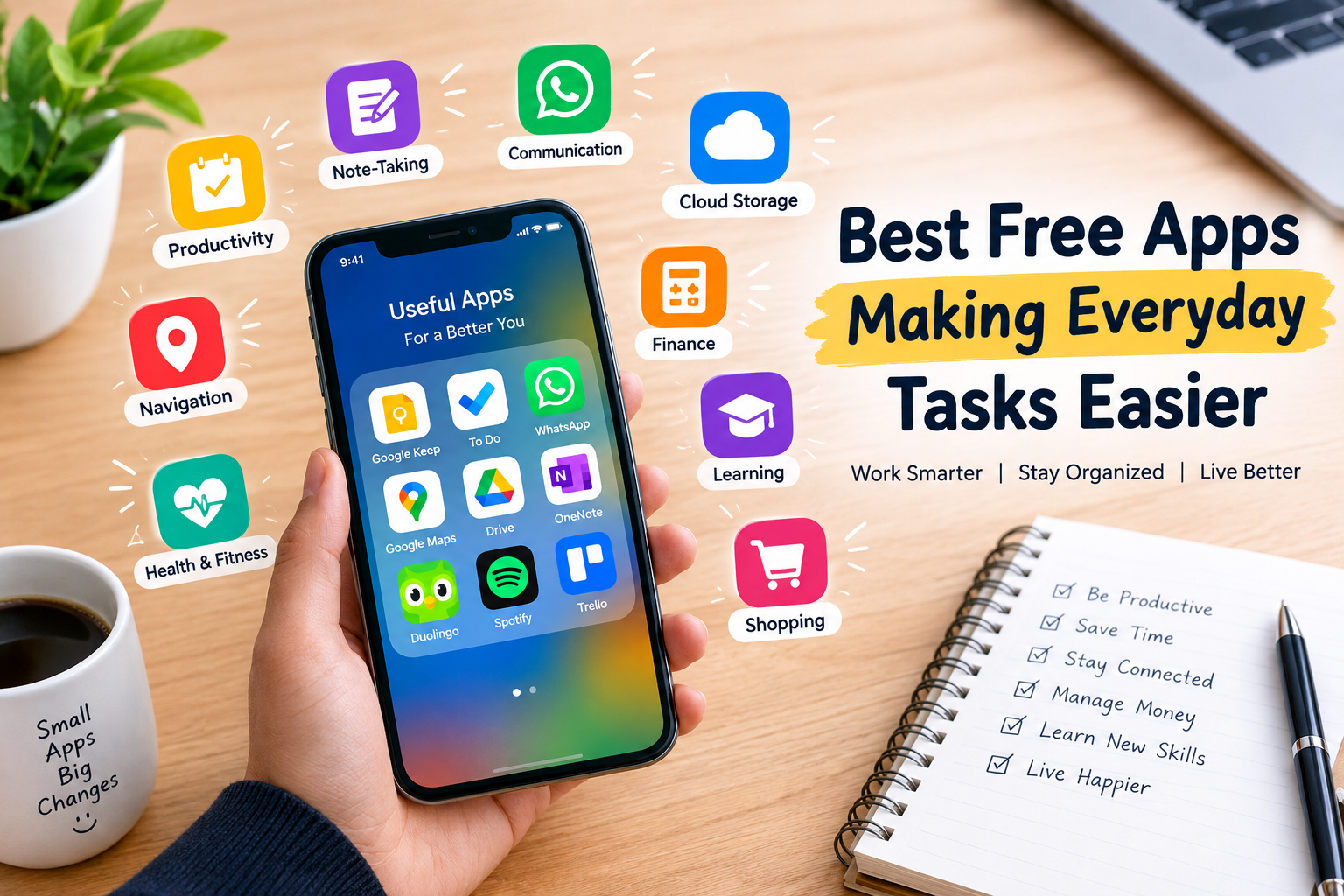
Modern life moves quickly, making simple tasks feel time-consuming. Free apps can reduce daily effort by helping users manage schedules, organize files, communicate, track expenses, learn new skills, and stay productive. With the right apps, smartphones become useful tools for handling everyday responsibilities with less stress.
From productivity platforms to note-taking tools and finance apps, many free options provide practical features without requiring expensive subscriptions. Choosing useful apps can improve organization, save time, and make routine activities more convenient for students, professionals, families, and everyday smartphone users.
Read More: Best PC Games Gamers Should Try in 2026
Productivity Apps for Better Daily Organization
Productivity Free apps help users manage tasks, reminders, schedules, and personal goals from one place. Tools such as Google Keep, Microsoft To Do, and Trello can make daily planning easier by keeping important information organized and accessible.
A simple task list can help users remember deadlines, appointments, shopping items, and personal goals. Calendar integration and reminders also reduce the chance of missing important activities.
Note-Taking Apps for Quick Ideas
Note-taking apps are useful for saving ideas, meeting notes, study material, lists, and important information. Google Keep offers a simple interface for creating notes, checklists, reminders, and voice notes.
Microsoft OneNote provides more advanced organization through notebooks and sections. Users can keep personal notes, work information, research material, and study content organized across different devices.
Communication Apps for Staying Connected
Communication Free apps make it easier to stay connected with family, friends, colleagues, and online communities. WhatsApp, Telegram, and Messenger provide messaging, voice calls, video calls, and file-sharing features.
These apps can reduce communication barriers by allowing users to share information instantly. Group chats are especially useful for teamwork, family discussions, school projects, and professional communication.
Finance Apps for Managing Expenses
Managing everyday spending becomes easier with digital finance and budgeting Free apps. Expense tracking tools can help users record purchases, organize spending categories, and understand where their money goes.
A basic expense tracker can encourage better financial habits. Users can monitor food, transportation, shopping, subscriptions, and other regular expenses without maintaining complicated spreadsheets.
Cloud Storage Apps for Easy File Access
Cloud storage apps provide convenient access to documents, images, videos, and other files. Google Drive, Microsoft OneDrive, and Dropbox allow users to store files online and access them from multiple devices.
Cloud storage also reduces the risk of losing important files when a phone or computer becomes damaged. File-sharing features make collaboration easier for students, employees, and remote teams.
Navigation Apps for Smarter Travel
Navigation Free apps have become essential for daily travel. Google Maps helps users find locations, check routes, explore nearby businesses, and estimate travel times.
Navigation tools can also provide useful information about traffic conditions and alternative routes. These features help users plan journeys more efficiently, whether traveling to work, shopping centers, educational institutions, or unfamiliar locations.
Health and Fitness Apps for Daily Routines
Free fitness Free apps can support healthier daily routines by providing workout ideas, activity tracking, step counting, and basic wellness information. Many smartphones already include built-in health features that monitor daily movement.
Fitness apps can help users stay consistent with personal activity goals. Short workouts, walking targets, and reminders can encourage regular movement without requiring expensive gym memberships.
Learning Apps for Building New Skills
Free educational Free apps provide convenient access to learning resources. Platforms such as Duolingo, Khan Academy, and Coursera offer opportunities to develop language, academic, technical, and professional skills.
Mobile learning is especially useful for people with busy schedules. Users can study during short breaks, while traveling, or whenever they have free time. Consistent learning sessions can gradually build valuable knowledge.
Password Manager Apps for Better Security
Remembering passwords for multiple accounts can become difficult. Password manager apps provide a secure way to organize login credentials while reducing the need to remember every password separately.
Strong, unique passwords can improve account security. Many password managers also support password generation and autofill, making the login process faster and more convenient.
Shopping Apps for Saving Time
Shopping Free apps make product discovery, price comparison, ordering, and delivery tracking more convenient. Users can browse products from home and compare different options before making purchasing decisions.
Digital shopping tools can also help users maintain shopping lists and avoid unnecessary trips. Price alerts and saved items may provide additional convenience when planning purchases.
Free Apps Can Simplify Everyday Life
The best free apps do more than provide entertainment. They can organize responsibilities, improve communication, simplify travel, support learning, manage finances, and protect digital information.
A smartphone filled with useful free apps can become a practical everyday assistant. Instead of installing dozens of applications, users should focus on reliable tools that solve real problems and fit their daily routines.
Choosing the Right Free Apps
Not every popular app will be useful for every person. Before installing an application, users should consider its features, privacy practices, storage requirements, reviews, and update history.
Useful apps should make tasks simpler rather than create additional distractions. Selecting a small collection of reliable applications can improve productivity while keeping a smartphone organized and easy to use.
Frequently Asked question
What are the best free apps for everyday tasks?
Google Keep, Microsoft To Do, Google Maps, Google Drive, WhatsApp, and OneNote are useful free apps for common daily tasks.
Which free app is best for managing tasks?
Microsoft To Do and Google Keep are simple options for creating task lists, reminders, and daily plans.
Are free productivity apps useful for students?
Yes. Free productivity apps can help students manage assignments, create notes, organize schedules, and track study tasks.
Which free apps help manage expenses?
Free budgeting and expense-tracking apps can help users record purchases, organize spending, and monitor their daily expenses.
Are free cloud storage apps safe?
Reputable cloud storage services use security features to protect stored files. Users should also enable strong passwords and two-factor authentication.
Which free apps can help with learning?
Apps such as Duolingo, Khan Academy, and other educational platforms provide free learning resources for languages, academics, and professional skills.
Can free apps really save time?
Yes. The right apps can automate reminders, organize information, simplify communication, manage files, and reduce repetitive daily work.
Conclusion
Free apps can make everyday tasks faster, easier, and more organized. Productivity tools, communication platforms, finance trackers, cloud storage services, navigation apps, learning platforms, and security tools each solve different daily challenges.
The right combination depends on individual needs and routines. By choosing trustworthy free apps with practical features, users can save time, stay organized, improve productivity, and manage everyday responsibilities more efficiently.

2 Comments
Pingback: Digital Business Strategies Driving Growth in 2026
Pingback: Bingo Plus App Download: A Practical Guide for Mobile Users in the Philippines